Generative images and video, how they work and how to use them
From noise to image. How image and video generators work, which are best according to Arena, how to write a good visual prompt and what the law says about synthetic content.
 Mattia PanattaUpdated 15 October 202611 minBeginner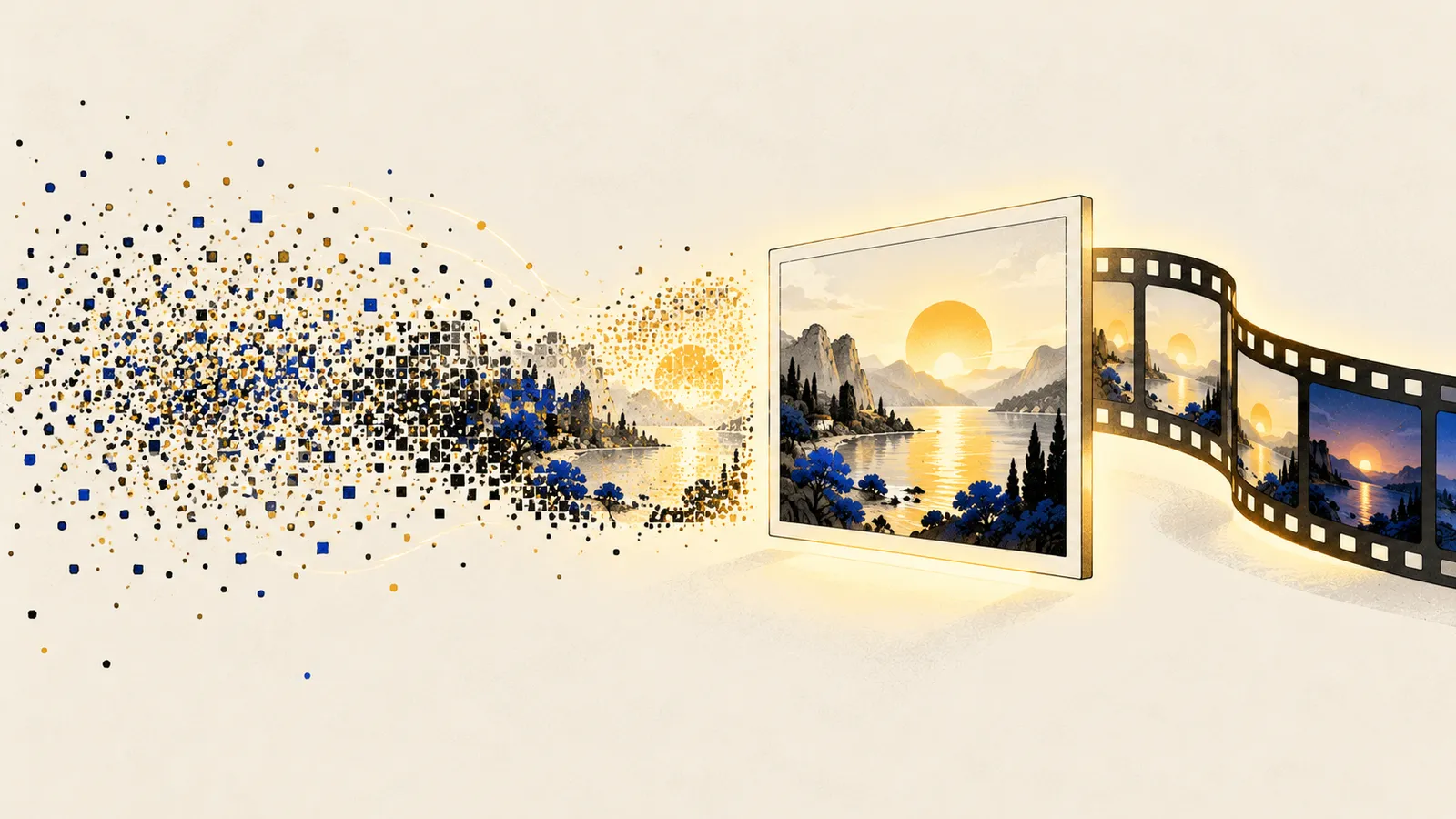
In short
- Most generators start from random noise and “clean” it step by step until it becomes an image matching the description (diffusion).
- As of October 2026 GPT Image 2.5 leads Arena for images and Gemini Omni for video.
- A good visual prompt describes subject, action, setting, light, framing and style, as you would to a photographer.
- Realistic AI-generated images and videos must be disclosed when published (AI Act, Art. 50).
From noise to image
Picture a photo covered by a fog of coloured dots so dense you see nothing. A diffusion model is trained to do one thing: given a “noisy” image and a description, remove a bit of noise in the right direction. Repeated 20, 30, 50 times, this turns pure noise into a sharp image.
To learn, the model sees hundreds of millions of captioned images during training: noise is added to each in increasing amounts and the model learns to remove it. That’s how it links words and visual forms: “sunset” with certain shades of orange, “Rome” with domes and umbrella pines.
For video the idea is the same, but the model generates many frames together and must keep objects, faces and motion consistent over time: much harder and costlier. Recent models also generate synchronised audio.
Some recent systems, such as the generators built into ChatGPT and Gemini, are instead natively multimodal: the same model that understands text also produces the image. That’s why they’re much better at following long instructions, writing legible text inside images and making conversational edits (“now move the logo to the top right”).
The best today, according to users
On Arena people compare two images generated from the same prompt and vote for the better one. As of October 2026:
Images (from text)
- GPT Image 2.5 “Sunburst” (OpenAI), 1,425 points, preliminary
- GPT Image 2.5 “Flare” (OpenAI), 1,398, preliminary
- GPT Image 2 (OpenAI), 1,383
- Grok Imagine Image 2.0 (SpaceXAI), 1,334
- MAI Image 2.6 (Microsoft), 1,332
- Nano Banana 2.1 (Google), 1,328
Video (from text)
- Gemini Omni 1.1 Flash (Google), 1,516
- Gemini Omni Flash (Google), 1,513
- FLUX 3 Video (Black Forest Labs), 1,493, preliminary
- Grok Imagine Video 1.5 (SpaceXAI), 1,492
- Seedance 2.0 (ByteDance), 1,479
Rankings change every month: see the latest on the Models & prices page or on Arena directly.
Which tool for what
- Images for communication, slides, social with legible text: ChatGPT (GPT Image 2.5). You use it conversationally and correct as you go.
- Editing existing photos while keeping faces and products consistent: Gemini with Nano Banana, or Krea, which launched Krea 3 in October 2026 (2K edits in under 8 seconds, trainable on your product).
- Aesthetics and artistic style for moodboards and concepts: Midjourney.
- Short videos and animation: Google Flow with Gemini Omni models (included in Google AI plans, credit-based), or platforms like Higgsfield that bundle several models, Seedance included.
How to write a visual prompt
Think of briefing a photographer or director. What matters:
- Subject: who or what, with concrete details (age, clothing, materials).
- Action: what’s happening.
- Setting: where, when, which season.
- Light: golden late-afternoon light, neon, side window light.
- Framing and lens: close-up, wide shot, top-down, 35mm lens, shallow depth of field.
- Style: editorial photography, flat illustration, watercolour, 3D render.
- Format: vertical 4:5 for Instagram, 16:9 for a slide.
- Text in the image, in quotes, if needed.
Editorial photograph, 16:9. A young accountant at her desk in a bright office in Rome, open laptop showing a chart, cup of coffee, open ledger. Through the window, Rome’s rooftops at sunset. Warm side light, shallow depth of field, 35mm lens. Warm palette: wood, sage green, gold. No text in the image.
For video, add motion (camera and subject) and duration: “slow dolly forward”, “camera orbits the subject”, “8 seconds”. Short, simple scenes work much better than long, busy ones.
The iteration method
Don’t chase the perfect prompt first time. Generate 3-4 variants, pick the closest, then change one thing at a time: “same image, morning light”, “remove the cup”, “tighter framing”. Faster and more controllable than rewriting everything.
What the law says
- Transparency (AI Act, Art. 50). Since 2 August 2026 anyone publishing realistic images, audio or video generated or manipulated with AI (deepfakes) must disclose it, with exceptions such as clearly artistic or satirical works, where a non-intrusive note is enough.
- Marking. From 2 December 2026 generator providers must mark content in a machine-readable way (watermarks), as set after Regulation (EU) 2026/1744.
- Explicit sexual deepfakes. The 2026 regulation also added a specific ban covering them.
- Real people. Using a recognisable person’s face or voice requires their consent: image rights and the GDPR already demand it. In Italy, Law 132/2025 also introduced a specific offence for unlawfully spreading AI-falsified content that causes harm.
- Copyright. Commercial-use terms vary by tool and plan: read them before using images for a client.
A practical tip
When you use a generated image on a site, a post or a client deck, add a discreet note like “AI-generated image”. It costs nothing, keeps you compliant and builds trust.
In practice
- Choose the tool by task: text in images and conversational edits (ChatGPT), photo retouching (Nano Banana, Krea), style (Midjourney), video (Flow).
- Write prompts like briefs: subject, action, setting, light, framing, style, format.
- Iterate one change at a time.
- For video, keep scenes short and simple; test on short clips before spending credits.
- Disclose synthetic content and never use real faces or voices without consent.
Sources
Informational content, current as of the date shown. Prices, models and rules change often: always check official sources. Written with the support of AI tools and reviewed by the author.